Radio from everywhere. Podcasts from any feed. In the car, too.

A simple Android app: over 50,000 stations from over 240 countries, podcasts straight from their RSS feeds, Android Auto built in.

Coming soon on Google Play

All features
  • Free
  • No account
  • Android 12 or newer

Stations from your country – and from every other one.

Podwelle starts with what’s broadcasting near you. One tap, and you’re listening to Brazil, Japan or Italy. Favorites and Recently played get you back fast.

Stations
over50,000
Countries
over240

Stations from radio-browser.info
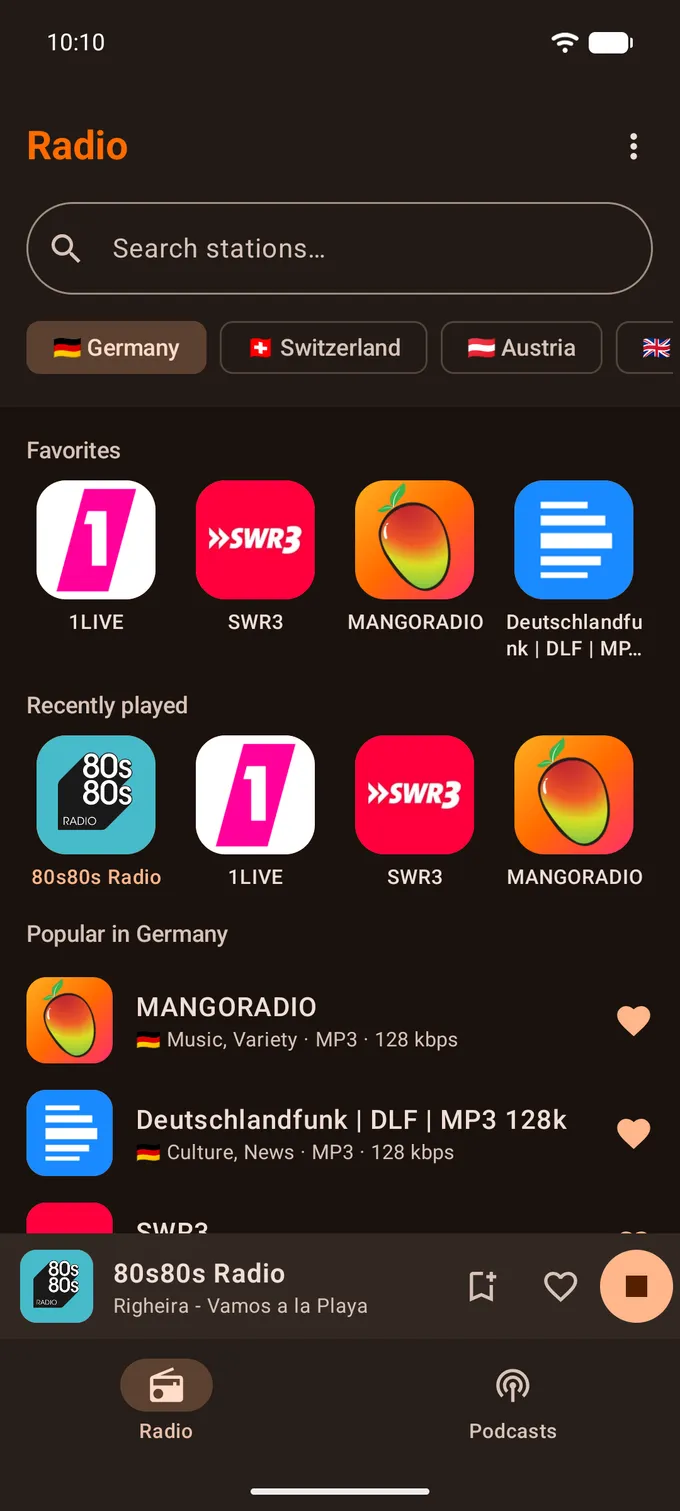
The Radio tab with favorites and popular stations from Germany
  • Country
  • Favorites
  • Recently played
  • Near you
  • Bookmark

Podcasts, no detour.

Search Apple Podcasts and fyyd, play straight from the feed. Add your own feeds by RSS. Progress is remembered, and you can hide what you’ve heard.

Podcasts from Apple Podcasts and fyyd.de
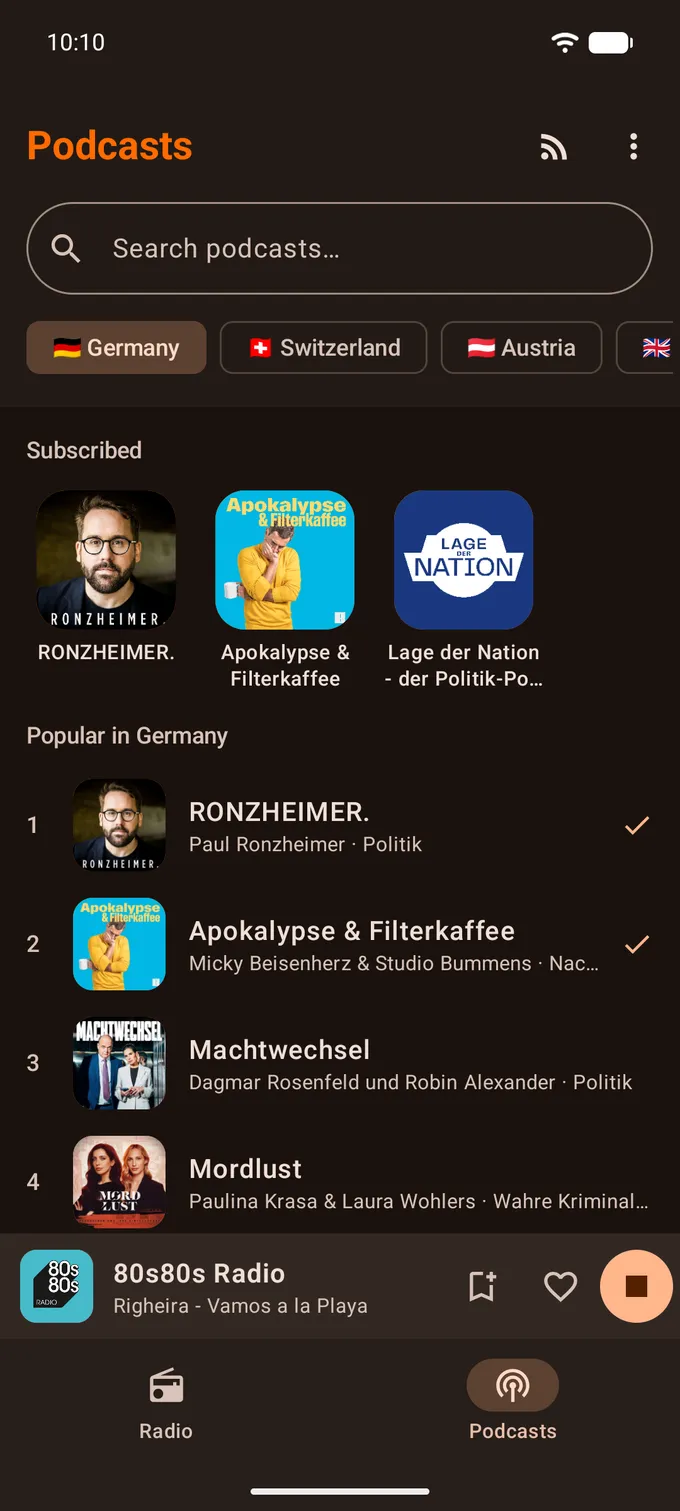
The Podcasts tab with subscribed shows and the German charts
  • RSS import
  • Search
  • Subscribed
  • Popular

In the car, without distraction.

Favorites, stations and podcasts on the dashboard, steering-wheel buttons included. Good song playing? One button saves it.

On the display
Favorites, stations and podcasts
Steering wheel
Next and previous through your list
Save the song
One button, in the car too
Ads
Never in the car

What was that song?

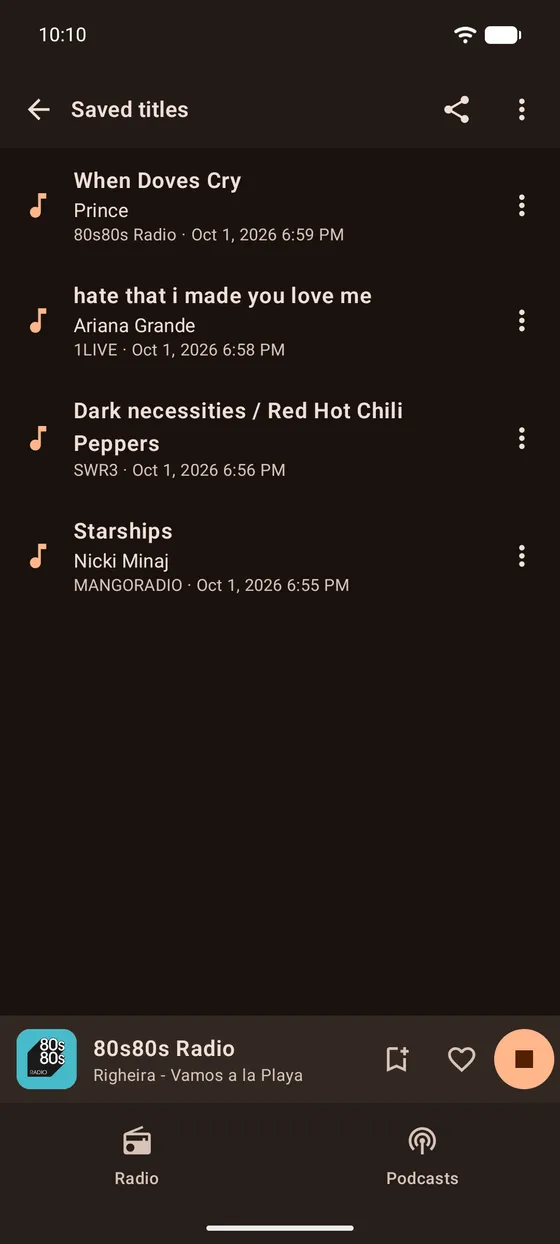
Tap the bookmark and the title lands in your saved list – with links to Spotify, YouTube Music and Apple Music.
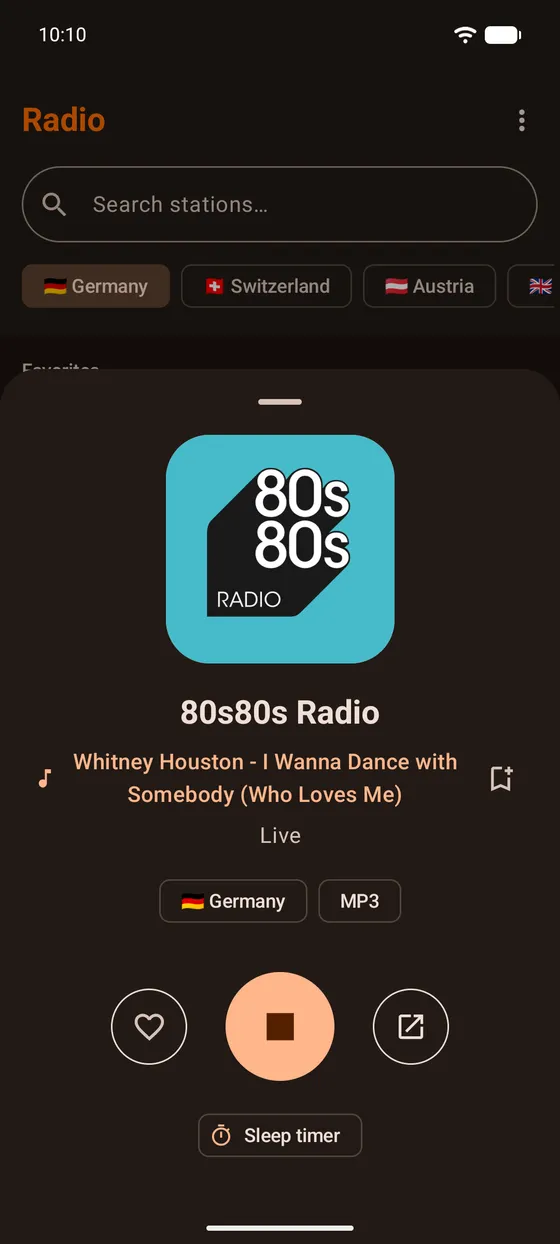
The now playing sheet with station logo, the song currently on air and the sleep timer
The saved songs list with title, artist, station and time

Specifications

Sleep timer
Fall asleep to the radio: 15 to 90 minutes, or until the episode ends.
Search
Search stations, genres and podcasts – and subscribe to any RSS feed.
System
Android 12 or newer

Premium – when you want more.

  • No ads
  • Unlimited saved songs
  • Radio alarm
  • Your own stations
Year
€12.99$12.997-day free trial
Month
€1.99$1.99
Once
€19.99$19.99launch price, forever

Everything else stays free – and that won’t change.

Prices in the Play Store vary by country and currency. Cancel anytime through Google Play.

What Podwelle does not do

  • No account.
  • No location access.
  • No tracking of our own.

Your country comes from the mobile network, SIM card or system language, not from location. Ads only in the free version: one banner via Google AdMob, never in the player, never in the car. You can turn off personalized ads at any time – in your Android settings and, where the law provides for it, right in the app.

Stations by radio-browser.info · Podcasts by Apple Podcasts and fyyd.dePrivacy

Questions?

  • A station does not play. What can I do?

    The streams are run by the radio stations themselves, so one can be offline, overloaded or moved to a new address. Try a second station first. If that one plays, the problem is with the first stream and not with your connection or with Podwelle. If nothing plays at all, check your internet connection and start the app again. When a station stays silent for days, its address has usually changed – search for it again and put the new entry into your favorites.

  • A station is missing, or its name or logo is wrong.

    Podwelle does not keep its own station list. Names, logos, countries and stream addresses all come from radio-browser.info, an open community directory that anyone can edit. A missing station can be added there, and wrong details can be corrected there. Podwelle shows the corrected entry as soon as radio-browser has passed it on. If you are stuck, write to support@podwelle.app and describe the station.

  • I bought Premium, but the app does not recognize it.

    Purchases run through Google Play. Podwelle itself has no accounts and no passwords. Every time it starts, the app asks Google Play which purchases belong to the signed-in account. That is why Premium comes back by itself after a reinstall or on a new phone. If Premium is missing, check that the device is signed in with the Google account you bought with, then close Podwelle and open it again. A payment can also still be pending, for example with a bank transfer. Premium becomes active as soon as Google confirms it. If it still does not show up, write to support@podwelle.app with the order number from your Google Play receipt.

All questions